
Quick answer
A local solution makes sense when you want to keep files, NAS, devices, overlays and recurring costs under your control.
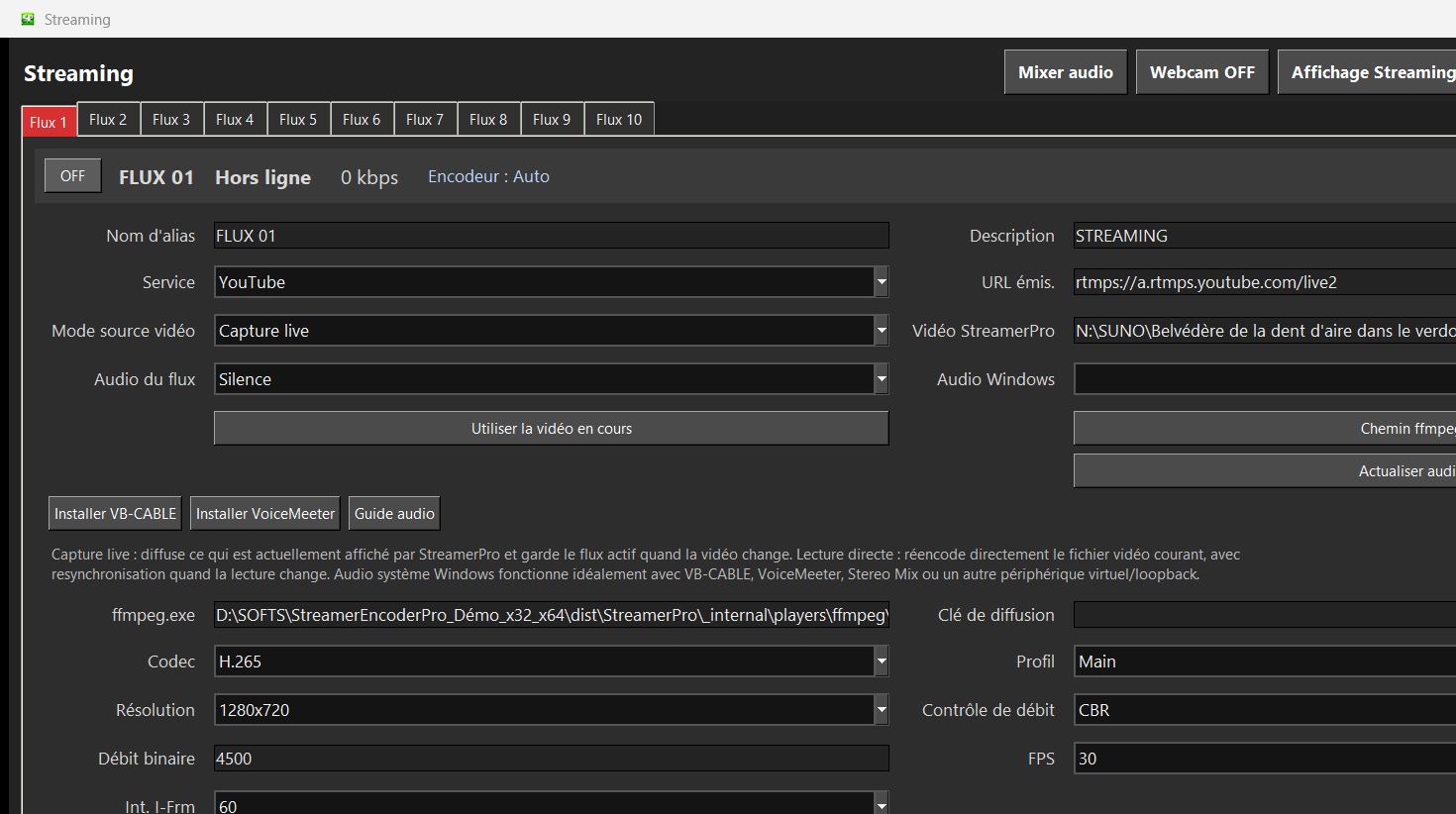
Up to 10 simultaneous streams depending on PC power, GPU, resolution, codec, bitrate and network stability. Not guaranteed on every configuration.
Recommended steps
- List the number of simultaneous streams you need.
- Estimate per-stream cloud costs over 12 months.
- Compare with a local Windows PC and fixed-duration license.
- Check whether you accept maintaining the local workstation.
What to check before going live
How StreamerPro helps
StreamerPro targets local installations: Windows PC, local files, NAS, optional ZowieBox, RTMP, overlays and on-site diagnostics.
StreamerPro 3.56.22 - StreamerPro_Setup_v3.56.22.exe
Frequently asked questions
Is local always better?
No. Cloud remains useful if you want to outsource the infrastructure completely.
Why does cloud become expensive with multiple streams?
Because many offers bill every active stream every month.
Is ZowieBox mandatory?
No. It can help in some setups, but StreamerPro can also run with integrated local features.
Test StreamerPro on your own setup
The free demo helps you verify your Windows PC, video files, audio sources, real upload speed and RTMP settings before purchase.