
Quick answer
Prepare your videos locally, create a YouTube RTMP stream key, test the PC with the free demo, then let StreamerPro handle playback, overlays and FFmpeg output.
Up to 10 simultaneous streams depending on PC power, GPU, resolution, codec, bitrate and network stability. Not guaranteed on every configuration.
Recommended steps
- Create or schedule a continuous live event in YouTube Studio.
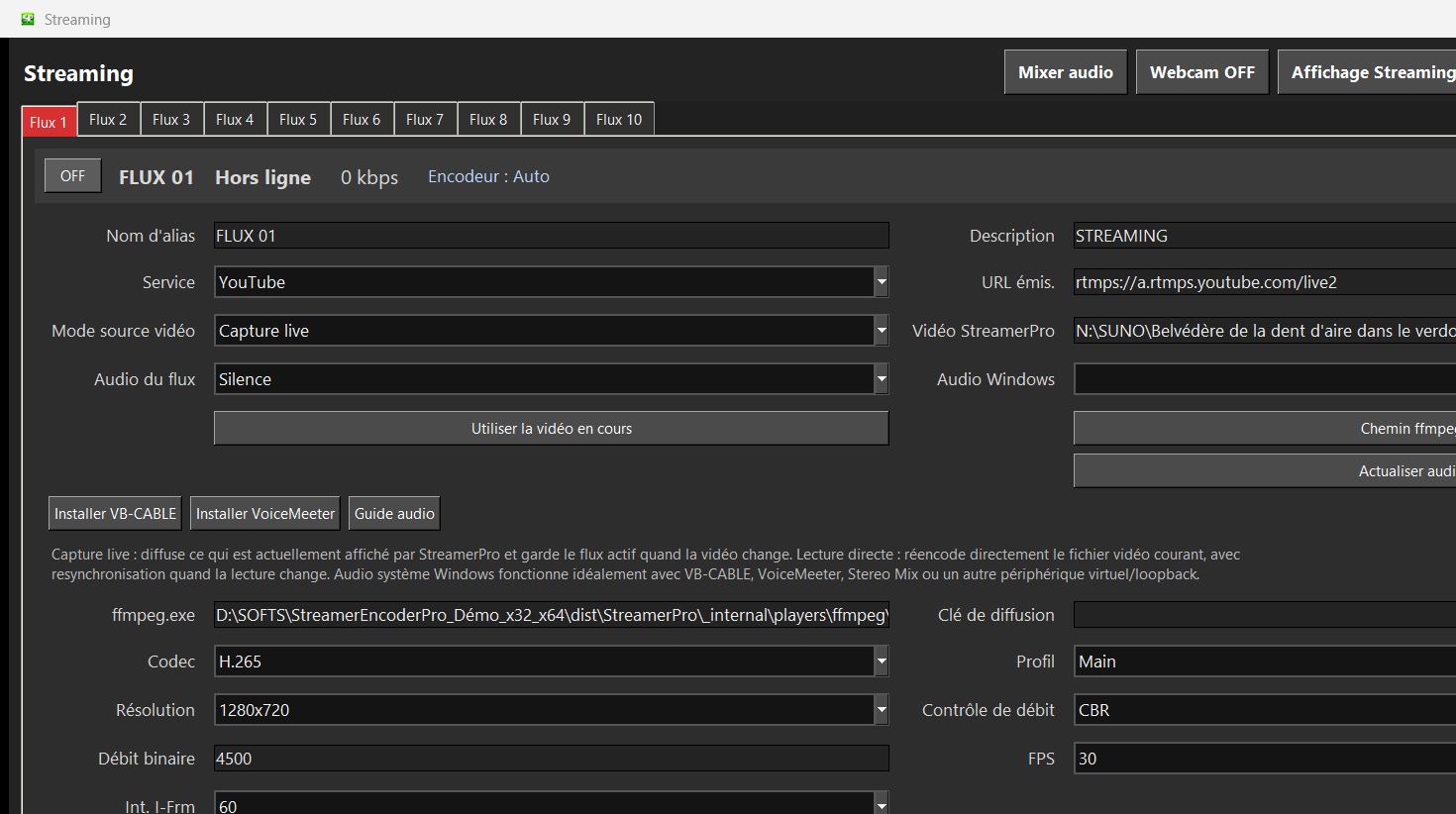
- Copy the RTMP server URL and stream key into StreamerPro.
- Store your videos in a local folder or on a stable NAS.
- Choose a realistic resolution: 1080p, 1440p or 2160p depending on upload speed.
- Run a long test before making the channel public.
What to check before going live
How StreamerPro helps
StreamerPro brings playlists, VLC/MPC-BE, FFmpeg, overlays, logo, webcam, screen capture, diagnostics and recovery into one local workflow.
StreamerPro 3.56.22 - StreamerPro_Setup_v3.56.22.exe
Frequently asked questions
Can I create a 24/7 channel from local videos?
Yes. StreamerPro is designed to play local or network video folders and stream them to YouTube Live through RTMP.
Do I need OBS?
No. OBS is excellent for manual live production, while StreamerPro focuses on automated long-running playlists.
Is 4K possible?
Yes, depending on PC, GPU, codec, upload speed and network stability. The demo helps you test the real setup.
Test StreamerPro on your own setup
The free demo helps you verify your Windows PC, video files, audio sources, real upload speed and RTMP settings before purchase.