
Quick answer
StreamerPro turns a Windows PC into a configurable 4K signage player without locking your files, codecs, sources and settings into a closed hardware ecosystem.
Up to 10 simultaneous streams depending on PC power, GPU, resolution, codec, bitrate and network stability. Not guaranteed on every configuration.
Recommended steps
- Decide whether the need is local or a large multi-site network.
- Use your Windows PC, SSD or NAS as the playout base.
- Add overlays, text, logo, webcam or capture when relevant.
- Test stability before public installation.
What to check before going live
How StreamerPro helps
StreamerPro fits storefront screens, showrooms, visual radio, events, reception areas, YouTube 24/7 channels and installations that must remain easy to modify.
StreamerPro 3.56.22 - StreamerPro_Setup_v3.56.22.exe
Frequently asked questions
Does StreamerPro replace every signage box?
No. Large multi-site networks may need a dedicated solution. StreamerPro targets flexible Windows stations.
Why avoid a closed box?
To keep control over files, codecs, devices, NAS, audio and diagnostics.
Can it also stream?
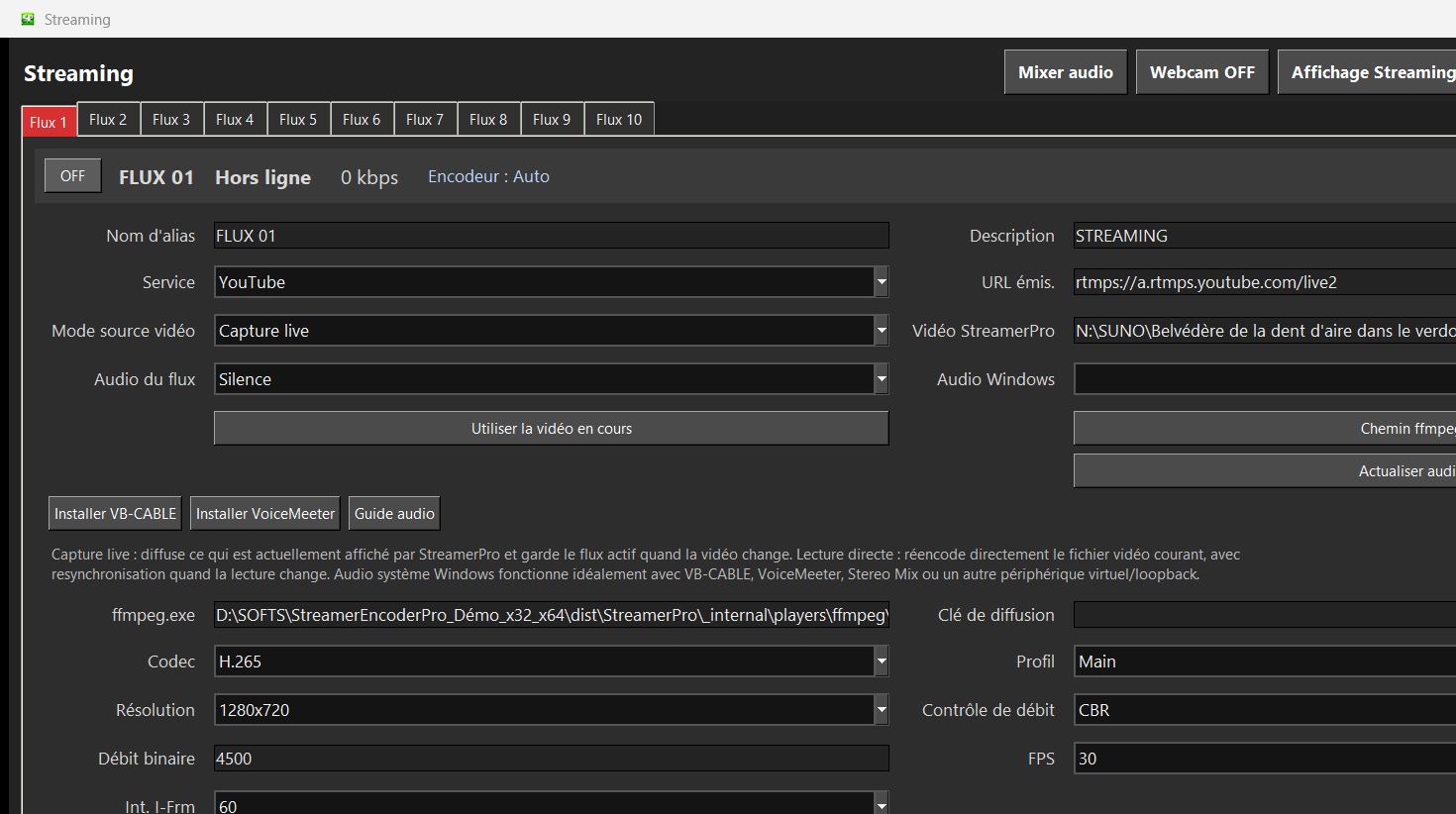
Yes, StreamerPro can output RTMP depending on your configuration.
Test StreamerPro on your own setup
The free demo helps you verify your Windows PC, video files, audio sources, real upload speed and RTMP settings before purchase.