
Quick answer
StreamerPro does not replace OBS in every use case. It targets long-running broadcasts with playlists, local sources, FFmpeg, RTMP, overlays and recovery-oriented tools.
Up to 10 simultaneous streams depending on PC power, GPU, resolution, codec, bitrate and network stability. Not guaranteed on every configuration.
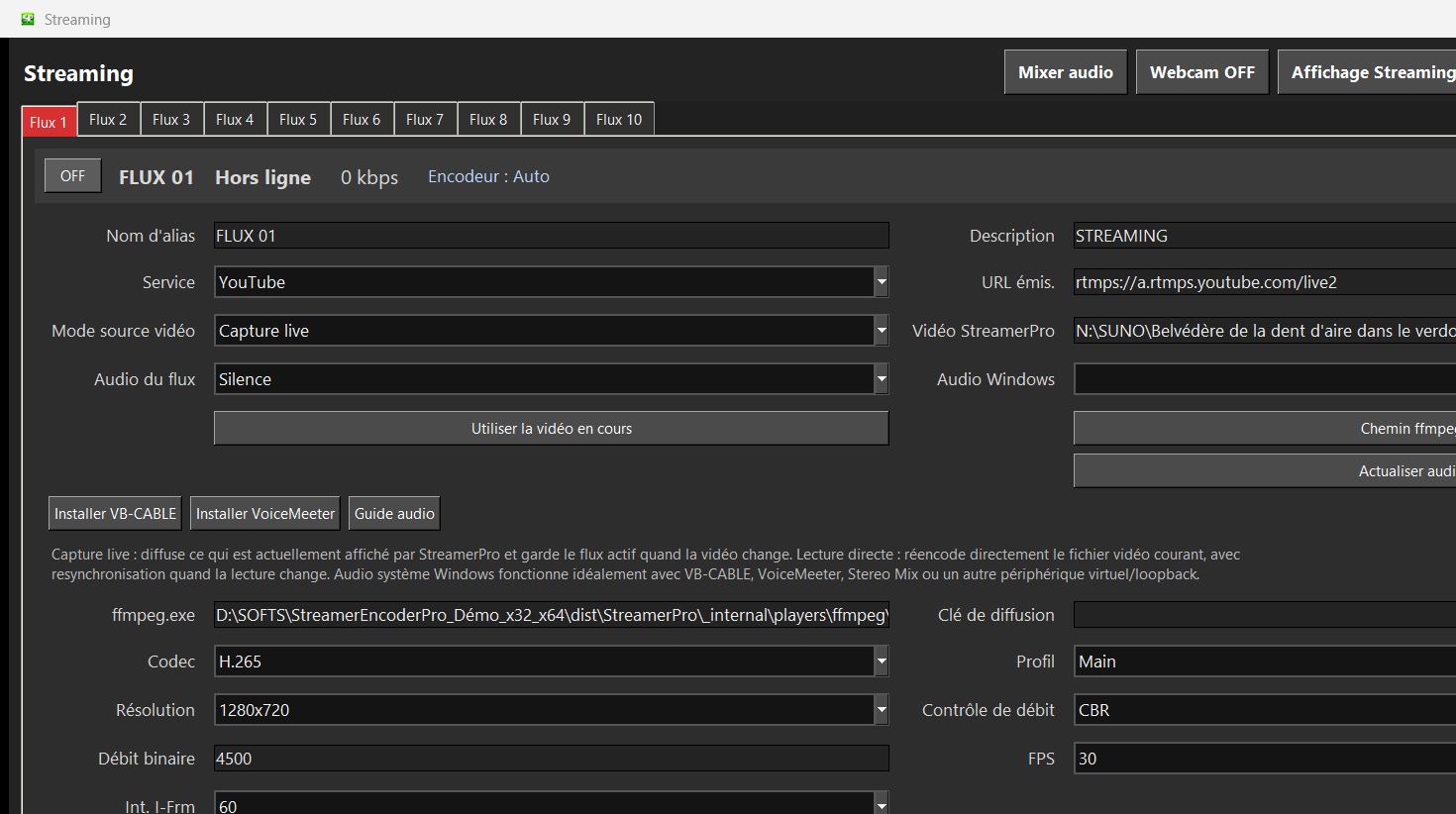
Recommended steps
- Keep OBS for creative live shows with complex scenes.
- Use StreamerPro when 24/7 playlist playout is the core requirement.
- Test codec, bitrate, audio and stability before switching.
- Add overlays, logos, webcam or screen capture when needed.
What to check before going live
How StreamerPro helps
StreamerPro sits between a video player, FFmpeg and live features: a Windows interface designed to avoid piling up scenes, plugins and scripts.
StreamerPro 3.56.22 - StreamerPro_Setup_v3.56.22.exe
Frequently asked questions
Is StreamerPro better than OBS?
It is a different use case. OBS is a live production studio; StreamerPro focuses on automated 24/7 broadcasts.
Can I use webcam and screen capture?
Yes, depending on configuration, with integrated local features.
Can I keep OBS too?
Yes. You can test both workflows and choose according to the type of live.
Test StreamerPro on your own setup
The free demo helps you verify your Windows PC, video files, audio sources, real upload speed and RTMP settings before purchase.