
What this page helps with
Common problem
A YouTube 24/7 stream can stop because of fragile playlists, wrong bitrate, missing audio or a manual setup that is hard to restart.
StreamerPro solution
StreamerPro focuses on automated Windows playout: playlists, FFmpeg RTMP profiles, overlays, monitoring and reusable streaming settings.
Concrete use case
A creator prepares a prerecorded 4K video channel, tests upload margin and sends the stream to YouTube Live from a local PC.
Quick questions
Does StreamerPro replace YouTube Studio?
No, YouTube Studio manages the event; StreamerPro sends the stream.
Can I use prerecorded videos?
Yes, this is one of the main use cases.
Is 4K supported?
Yes, depending on hardware, codec, bitrate and network.
Designed for channels that must stay online
A YouTube 24/7 channel often plays prerecorded videos, music visuals, ambience loops, drone footage, webcams, local files or branded playlists. The challenge is keeping the stream stable without manually rebuilding scenes every day.
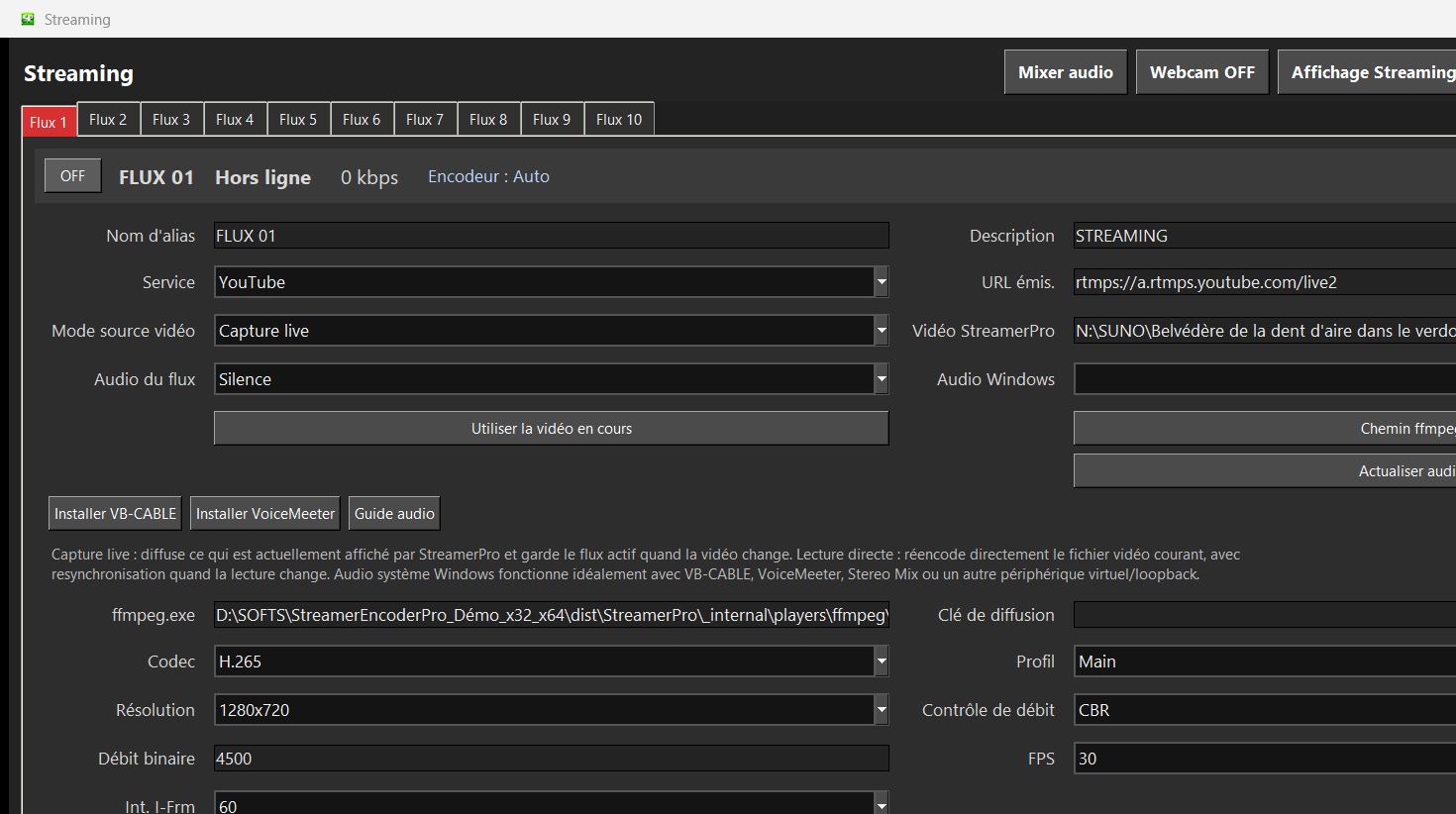
StreamerPro helps prepare the playlist, select playback engines, control encoding settings, send RTMP output and monitor the stream from a Windows PC.
Typical YouTube 24/7 uses
Practical setup
Prepare your YouTube Live RTMP key, choose a profile, test your real upload speed and keep at least 30 percent upload headroom. For 30 FPS, a 2-second keyframe interval usually means GOP 60; for 60 FPS, GOP 120.
Test the free demo before buying so you can validate audio, files, GPU load and long-duration stability.
Related English pages
FAQ
Can I use prerecorded videos for a YouTube 24/7 live?
Yes. StreamerPro is designed around local video playlists and continuous playout workflows.
Does YouTube 4K work?
It can, depending on your PC, GPU, codec, upload bandwidth, bitrate and YouTube settings.
Should I test before buying?
Yes. Use the demo to check your exact files, audio devices and YouTube Live settings.
StreamerPro Video Converter
StreamerPro Video Converter
Prepare videos before streaming with the built-in FFmpeg converter: H.265 to H.264, 4K UHD, CBR, AAC audio, progress tracking and FFmpeg log.