
What this page helps with
Common problem
Cloud playout can become expensive when each 24/7 stream, 4K storage and extra option is billed every month.
StreamerPro solution
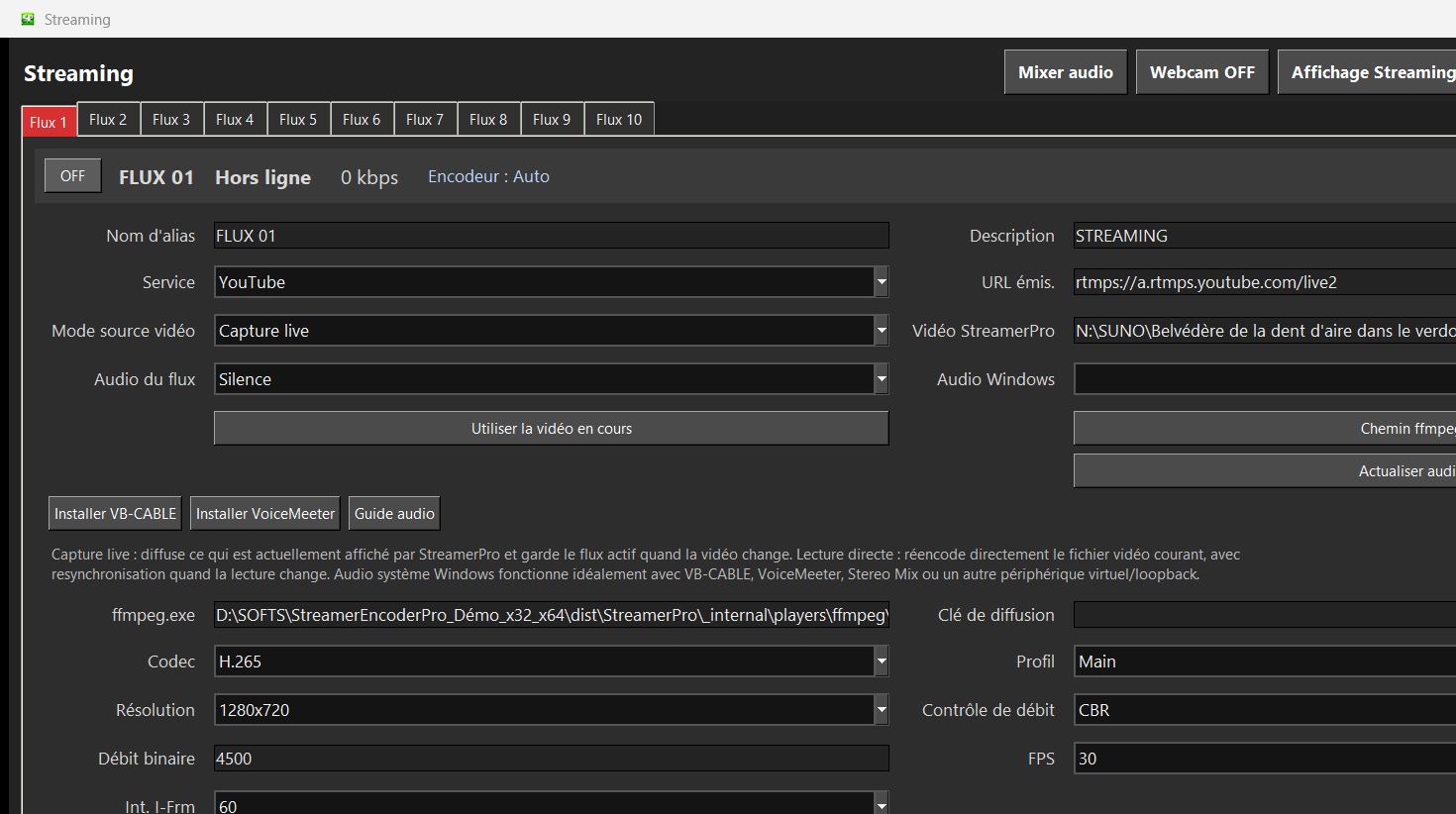
StreamerPro keeps video playout local on a Windows PC, using your storage, NAS, overlays, RTMP profiles and fixed-duration license.
Concrete use case
A project with four streams compares a Windows PC and StreamerPro license against per-stream cloud subscriptions over one year.
Quick questions
Is local always cheaper?
No, but it can be much cheaper for multiple long-running streams.
When is cloud better?
When you want to outsource the infrastructure completely.
What should I test?
PC, GPU, upload, codec, storage and network stability.
The commercial argument is simple
Cloud playout can be convenient, but it often adds recurring fees per stream, storage limits, higher 4K costs and dependence on an external platform. A local StreamerPro setup uses a Windows PC, local storage, optional NAS and a fixed license.
This approach is especially attractive when you already own the machine, use large 4K files, want local control, or need several simultaneous streams depending on PC, GPU, bitrate and network stability.
Quick comparison
| Solution | Cost model | Storage | 4K | Multi-stream | Dependency |
|---|---|---|---|---|---|
| Cloud 24/7 | Subscription per stream | Often limited | Costly | Costly | External platform |
| OBS setup | Free | Local | Possible | Technical | Scripts and manual checks |
| StreamerPro local | Fixed license | Disk or NAS | Yes, depending on PC | Yes, depending on config | Controlled local PC |
Estimated annual cost for 4 continuous video streams
This table is not a quote for a specific cloud provider. It simply shows the order of magnitude when a platform bills per active stream every month.
| Scenario | Year 1 | Following years | 3-year total |
|---|---|---|---|
| StreamerPro local without hardware | EUR 90 | EUR 90/year | EUR 270 + hardware |
| StreamerPro local with example hardware | EUR 1,290 if PC + ZowieBox = EUR 1,200 | EUR 90/year excluding maintenance | EUR 1,470 excluding electricity and hardware replacement |
| Cloud at EUR 49/month/stream | EUR 2,352/year | EUR 2,352/year | EUR 7,056 |
| Cloud at EUR 99/month/stream | EUR 4,752/year | EUR 4,752/year | EUR 14,256 |
| Cloud at EUR 149/month/stream | EUR 7,152/year | EUR 7,152/year | EUR 21,456 |
Local StreamerPro solution vs cloud playout
| Criterion | StreamerPro local solution | Cloud per stream | Practical impact |
|---|---|---|---|
| Cost model | Hardware purchase plus fixed-duration StreamerPro license. | Monthly subscription, often multiplied by the number of streams. | Local can become much cheaper when several streams run continuously. |
| 4 simultaneous streams | Possible depending on PC, GPU, ZowieBox, resolution, bitrate and network. | Usually billed as 4 streams or 4 channels. | Each cloud stream adds recurring annual cost. |
| Video storage | Local drives, SSD, NAS or network storage under your control. | Storage often limited by plan. | 4K video quickly consumes space; local storage avoids strict cloud quotas. |
| Overlays and sources | Logo, text, webcam, screen capture, active window, VLC/MPC-BE and local sources. | Options can be limited or tied to the selected plan. | StreamerPro keeps production close to the PC and existing devices. |
| Maintenance | You monitor the local PC: Windows, GPU, disk, cooling, Internet and power. | Infrastructure is handled by the provider. | Cloud remains useful if you want to outsource as much technical operation as possible. |
Example setup
A practical local setup can be a Windows PC, SSD or NAS storage, StreamerPro, optional ZowieBox input, and YouTube Live or another RTMP destination.
Example annual cost for 4 streams: a cloud service at EUR 99 per month per stream reaches EUR 4,752 per year. StreamerPro local is EUR 90 per year excluding hardware. Real costs depend on the PC, cloud service and 4K usage.
Related English pages
FAQ
Is local streaming always cheaper?
Not always. Hardware, energy, bandwidth and maintenance matter. But for several 24/7 streams, avoiding per-stream cloud subscriptions can be a strong advantage.
Can StreamerPro run several streams?
StreamerPro can handle multiple streams depending on PC, GPU, resolution, codec, bitrate and network stability. It is not guaranteed on every configuration.
Do I still need a streaming platform?
Yes. StreamerPro prepares and sends the stream. You still need a destination such as YouTube Live or another RTMP service.
Take back control of your 24/7 video broadcast.
Your videos. Your PC. Your storage. Your broadcast. StreamerPro turns Windows into a local, flexible and configurable 24/7 video station.