
Official StreamerPro installer
Use only streamerpro.fr for the installer. Test the free demo before buying a fixed-duration license with no automatic renewal.
Secure official download
Version: StreamerPro v3.30
File: StreamerPro_Setup_v3.30.exe
Compatible with Windows 10 / 11
64-bit recommended
32-bit version available if needed
Size: 263 MB
Last update: 17 May 2026
Official source: streamerpro.fr only
What you can test
4K video playback
Playlist workflow
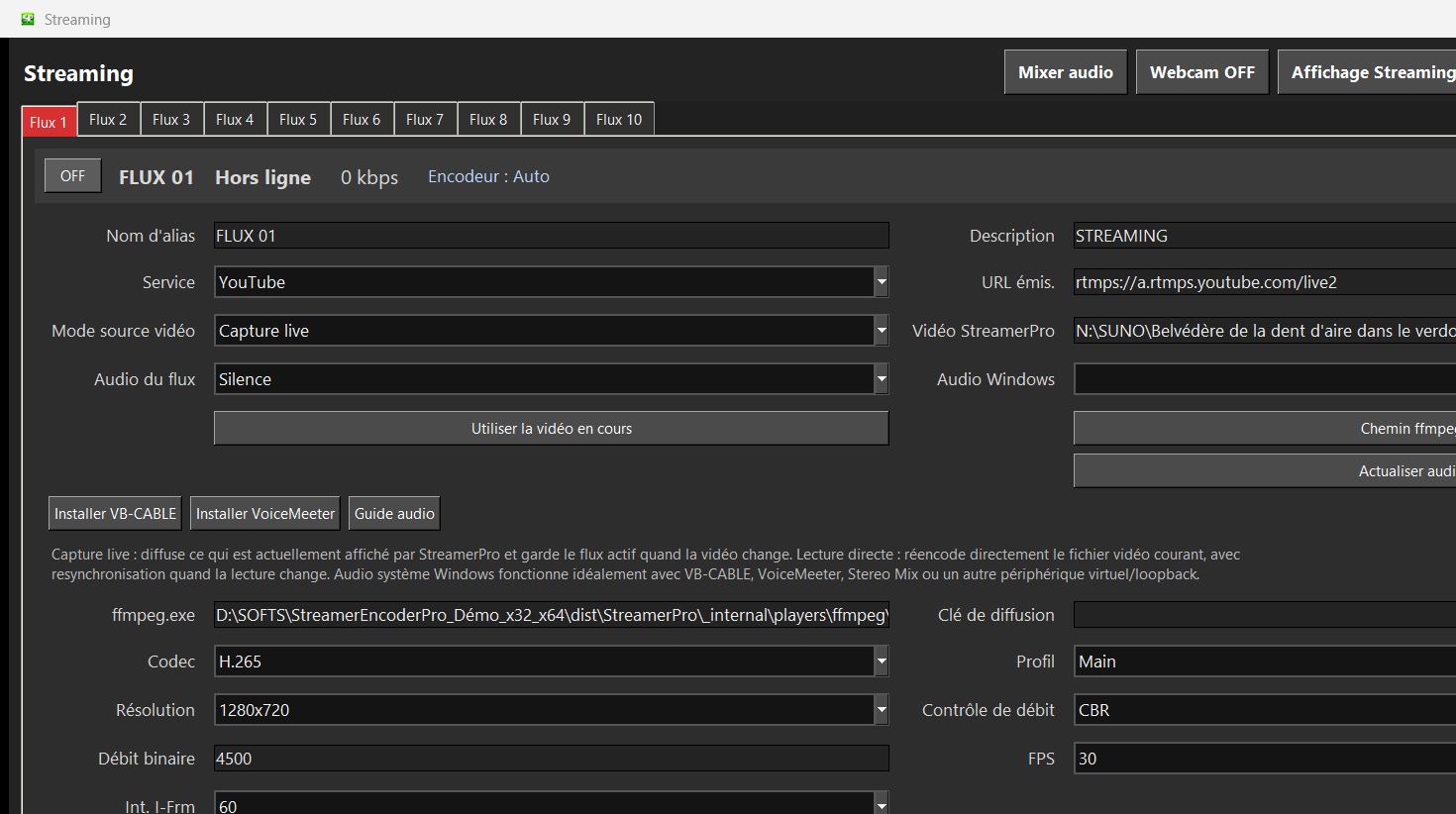
YouTube Live RTMP output
FFmpeg profiles
Audio routing
Overlays and logo
Local recording
Diagnostics
Before purchase
The demo is made to validate your real machine. Test your GPU load, upload stability, audio chain, video files and long-duration behavior before buying a fixed-duration license with no automatic renewal.
After payment is validated, your StreamerPro activation key is sent to the email address used for the order.
Related English pages
Guide
24/7 live video software
Continuous local video playout and RTMP streaming.
Guide
YouTube 24/7 live streaming software
Create continuous YouTube Live channels from local videos.
Guide
OBS alternative for 24/7 streaming
Automated playout instead of fragile manual scenes.
Guide
Digital signage software for Windows
A Windows PC as a flexible 4K signage player.
Guide
4K YouTube Live streaming
Prepare 4K YouTube Live from a local Windows PC.
Guide
Local 24/7 video streaming
Use your own PC, files, SSD or NAS for local playout.
Guide
Local video streaming vs cloud
Compare recurring cloud fees with local Windows playout.
FAQ
Is payment required for the demo?
No. You can download the demo and test your setup before buying.
Where is the official installer hosted?
Only on streamerpro.fr. Avoid downloading StreamerPro from unofficial sources.
Can Windows SmartScreen appear?
Yes. Windows may show a SmartScreen warning for recent or unsigned applications. Check that the file comes from streamerpro.fr.