
What this page helps with
Common problem
A cloud-only workflow can limit storage, increase recurring costs and make local hardware sources harder to control.
StreamerPro solution
StreamerPro keeps the 24/7 playout station on your Windows PC with local files, NAS, RTMP streaming, overlays and field-friendly diagnostics.
Concrete use case
A venue runs local 4K videos, sends RTMP to YouTube and keeps control of files, network and ZowieBox setup on site.
Quick questions
Is StreamerPro local-first?
Yes, it is designed around a Windows PC.
Can it use local storage?
Yes, local disks and NAS folders are part of the workflow.
Can it reduce recurring costs?
Potentially, especially when several streams are involved.
The problem with cloud solutions billed per stream
Cloud 24/7 video streaming platforms are convenient: nothing to install, hosted infrastructure and browser access. But when you need several simultaneous streams, 4K, lots of storage, custom overlays or precise control of the video chain, the cost can rise quickly.
Many cloud offers are billed per active stream, per month, with storage limits and paid options. For one channel this can be acceptable. For 4 simultaneous streams, the annual budget often becomes the real issue.
StreamerPro follows a different logic: invest in a local station you control, then keep recurring costs focused on software, electricity, internet access and workstation maintenance.
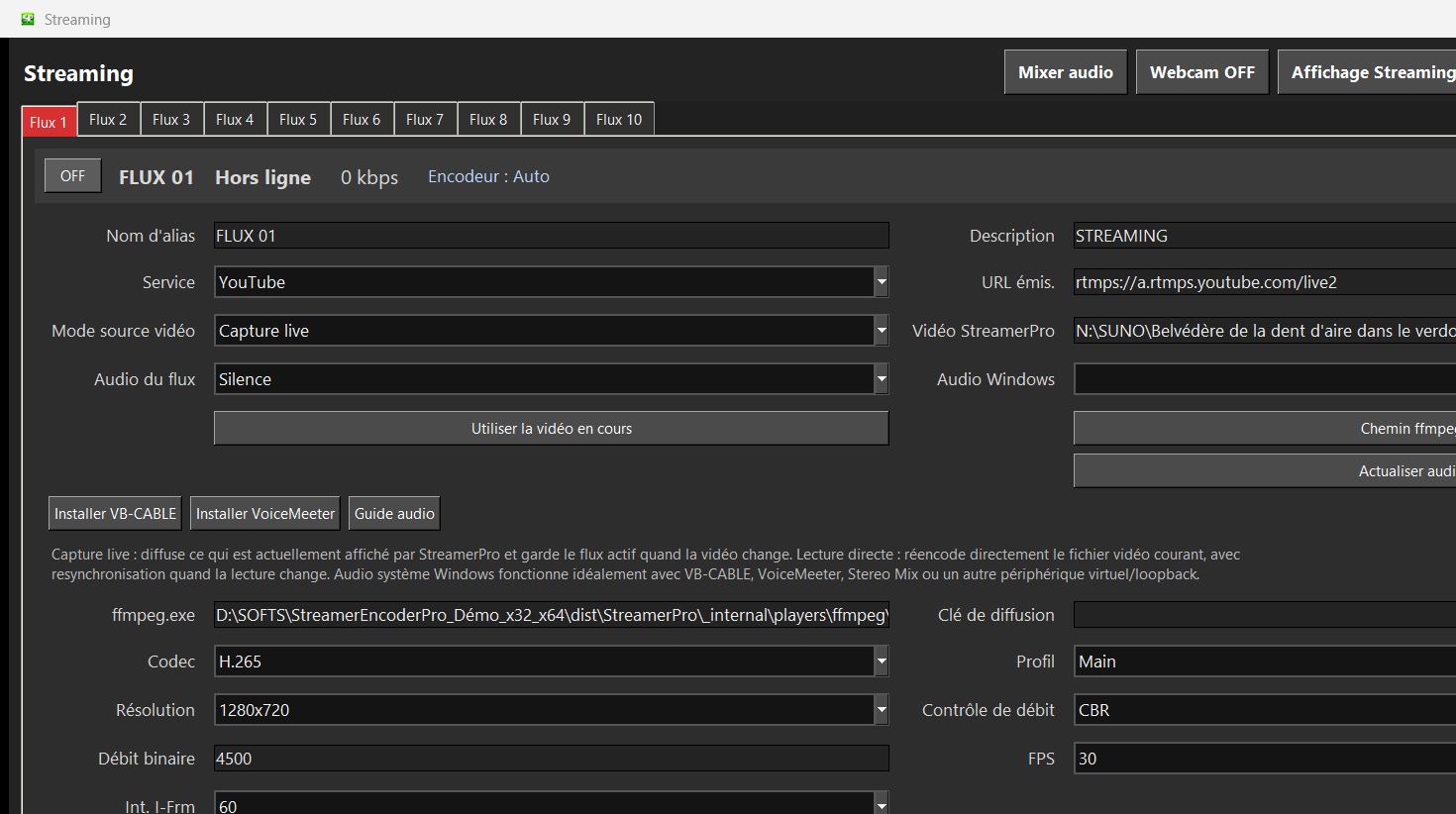
Comparison assumptions
The table below does not quote one specific cloud offer: it shows simple scenarios to understand the order of magnitude. Real cloud prices vary by provider, 4K usage, storage, traffic, options and support level.
- Compared scenario: 4 simultaneous video streams.
- Local solution: Windows PC + ZowieBox + StreamerPro license.
- StreamerPro 1-year license: 90 €, no automatic renewal.
- Local hardware: one-time purchase, depending on your PC, ZowieBox, GPU and 4K needs.
- Indicative hardware example: 1,200 € for PC + ZowieBox to illustrate amortization.
4 simultaneous streams always depend on PC power, GPU, resolution, codec, bitrate, ZowieBox and network stability. Not guaranteed on every configuration.
Estimated annual costs for 4 video streams 24/7
| Scenario | Year 1 | Following years | 3-year total |
|---|---|---|---|
| StreamerPro local excluding hardware | 90 € | 90 €/year | 270 € + hardware |
| StreamerPro local with hardware example | 1,290 € if PC + ZowieBox = 1,200 € | 90 €/year excluding maintenance | 1,470 € excluding electricity and hardware replacement |
| Cloud at 49 €/month/stream | 2,352 €/year | 2,352 €/year | 7,056 € |
| Cloud at 99 €/month/stream | 4,752 €/year | 4,752 €/year | 14,256 € |
| Cloud at 149 €/month/stream | 7,152 €/year | 7,152 €/year | 21,456 € |
Cloud calculation: 4 streams x monthly price per stream x 12 months. This table compares economic models, not provider quotations.
Local StreamerPro solution vs cloud
| Criterion | Local StreamerPro solution | Cloud solution per stream | Practical impact |
|---|---|---|---|
| Economic model | Hardware purchase + fixed-duration StreamerPro license. | Monthly subscription, often multiplied by the number of streams. | The local solution can become much cheaper once several streams run continuously. |
| 4 simultaneous streams | Possible depending on PC, GPU, ZowieBox, resolution, bitrate and network. | Usually billed as 4 streams or 4 channels. | Cloud becomes recurring: each stream adds an annual cost. |
| Video storage | Local disks, SSD, NAS or network storage under your control. | Storage often limited by plan, sometimes around tens or hundreds of GB depending on the offer. | 4K video consumes space quickly; local storage avoids a strict cloud quota. |
| Overlays and sources | Logo, text, webcam, screen capture, active window, VLC/MPC-BE and local sources. | Options can be limited or tied to the selected plan. | StreamerPro keeps production close to the PC and existing devices. |
| 4K and bitrate | Depends on your hardware, encoder and real upload speed. | 4K can involve extra costs or limits depending on the platform. | Local is attractive if you already have suitable hardware and a stable connection. |
| Control | You keep files, NAS paths, audio devices and FFmpeg settings. | Workflow depends on the provider interface and limits. | Easier to adapt when you work with local hardware. |
| Maintenance | PC to monitor: Windows, GPU, disk, ventilation, internet and electricity. | Infrastructure handled by the provider. | Cloud remains relevant if you want to externalize technical operation as much as possible. |
Why this positioning matters
For a 24/7 channel, visual radio, storefront screen or local video network, the real cost is not only the entry price. It is the annual operating cost: number of streams, storage, 4K, bandwidth, graphic options, restart, diagnostics and time spent maintaining the broadcast.
StreamerPro is positioned as a local 24/7 video streaming solution: you invest in a suitable Windows workstation, keep your files and devices, then broadcast with controlled software costs.
When a cloud solution still makes sense
Cloud is not a bad solution. It can be very appropriate if you do not want any local computer, if your team is distributed, if you need hosted supervision or if you prefer to delegate the infrastructure.
StreamerPro becomes especially interesting when you want local control over your files, ZowieBox, video inputs, overlays, NAS, recordings and recurring costs.
External reference
The StreamerPro SourceForge listing adds an external reference to the local positioning: Windows software for 4K digital signage, 24/7 video, RTMP streaming and alternatives to cloud subscriptions billed per stream.
View SourceForge listingTake back control of your 24/7 video broadcast.
Your videos. Your PC. Your storage. Your broadcast. StreamerPro turns Windows into a local, flexible and configurable 24/7 video station.
FAQ local solution vs cloud
Is the local solution always cheaper?
No. It becomes especially interesting when you run several streams for a long time and accept managing a local PC. Cloud can remain better if you want to delegate all infrastructure.
Why compare 4 streams?
Because cloud subscriptions billed per stream become much more expensive when several streams run at the same time. StreamerPro targets local installations where several streams can be prepared from a suitable Windows workstation.
Can local storage replace cloud storage?
In many cases, yes: you can use a local disk, SSD/NVMe or NAS. This avoids depending on a cloud quota, but you must manage backups, availability and file quality.
Does StreamerPro guarantee 4 simultaneous 4K streams?
No. The number of streams depends on the PC, GPU, ZowieBox, codec, bitrate, resolution, audio and network. The demo is designed to test the real configuration before purchase.