
Run a continuous live video channel without fragile scripts
Running a 24/7 live video channel is not just a matter of playing a file and pressing “go live”. You need reliable playlist rotation, stable audio, RTMP output, bitrate control, GPU or CPU encoding, overlays, diagnostics and a way to recover quickly when a file, network path or encoder fails.
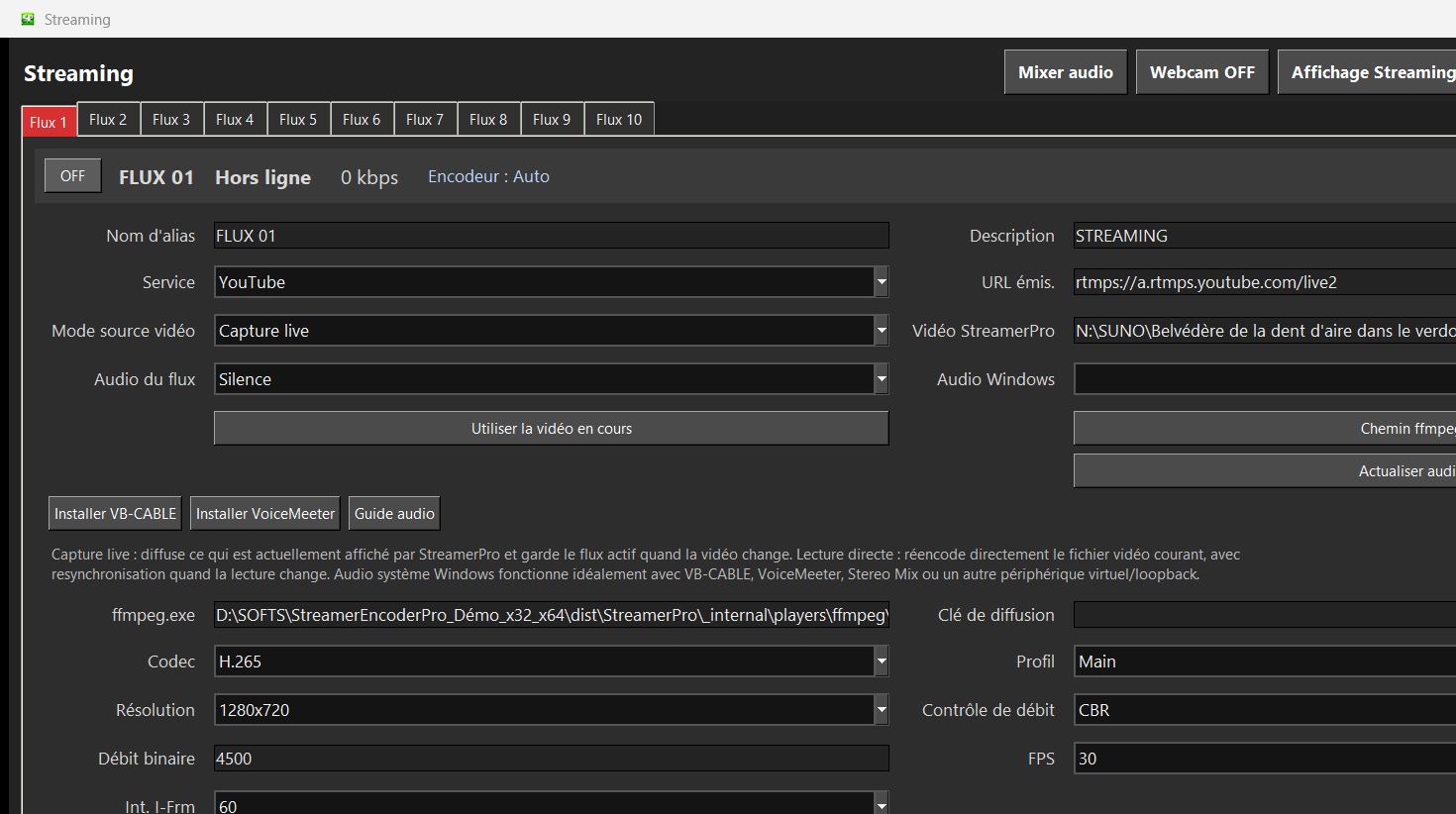
StreamerPro is built for this workflow. It brings video playback, VLC or MPC-BE selection, FFmpeg streaming, Windows audio, screen capture, webcam, logos, text overlays, local recording and diagnostics into one practical interface designed for long-running streams.
The goal is simple: create a repeatable Windows-based playout station for YouTube 24/7 channels, music streams, ambience videos, drone footage, webcams, hospitality screens, storefront displays, events and digital signage.
Who is StreamerPro for?
Core features for 24/7 live video
Automated playlists
Prepare local video playlists, rotate files and keep your live channel running without manually rebuilding scenes for every broadcast.
FFmpeg and RTMP
Use FFmpeg-based streaming profiles for YouTube Live and other RTMP-compatible platforms from a Windows PC.
Overlays and sources
Add logos, text, webcam, screen capture, active window capture and video sources depending on your production setup.
Local recording
Record locally in MP4/MKV H.264/H.265, MOV H.264, WAV audio-only or MP3 audio-only depending on your use case.
StreamerPro vs OBS for 24/7 streams
OBS Studio is excellent for manual live production, creative scenes and interactive studio workflows. StreamerPro is more focused on continuous video playout: playlists, files, signage screens, RTMP streaming, FFmpeg settings, local recording and repeatable long-duration operation.
For a creator who wants to manually operate a live show, OBS can be the right tool. For someone who wants a Windows machine to run a 24/7 video channel, StreamerPro offers a more direct workflow.
| Need | OBS Studio | StreamerPro |
|---|---|---|
| Creative live production | Very strong | Focused on playout |
| Playlist-based 24/7 channel | Possible, often technical | Main use case |
| FFmpeg profile control | Advanced setup | Integrated workflow |
| Digital signage on Windows | Possible | Designed for this use |
Cloud playout or local Windows software?
Cloud playout services can be convenient when you want everything hosted online. StreamerPro takes a different approach: the stream is prepared and controlled on your own Windows PC, with your local files, local audio devices, local screens, webcams, NAS folders and existing hardware.
This is useful when you want more direct control, lower dependency on a remote playout platform, local recording, local signage output, or a workflow that can be tested on your own machine before going live.
Recommended starting points
| Use case | Resolution | FPS | Codec | Suggested bitrate |
|---|---|---|---|---|
| Light test | 1280x720 | 30 | H.264 | 2500-4500 kb/s |
| YouTube standard | 1920x1080 | 30 | H.264 | 6000-9000 kb/s |
| Higher quality | 2560x1440 | 30 | H.264 | 9000-13000 kb/s |
| 4K live | 3840x2160 | 30 | H.264 / H.265 | 15000-25000 kb/s |
Keep upload headroom. For public live streams, test your real upload speed, source files, audio chain and GPU load for several hours before relying on a 24/7 setup.
Test your Windows PC before buying
Download the StreamerPro demo, try your videos, check audio routing and validate your RTMP settings before purchasing a fixed-duration license.
FAQ
Can StreamerPro run a YouTube Live channel 24/7?
StreamerPro is designed for long-running video playback and RTMP streaming from Windows. A stable 24/7 result still depends on the PC, GPU, files, network and platform settings.
Does StreamerPro require OBS?
No. StreamerPro can manage playback, FFmpeg streaming, overlays and recording directly. OBS can still be useful for other creative workflows.
Can I use local video files?
Yes. StreamerPro is especially useful when your content is stored locally or on a connected NAS and needs to be played continuously.
Is 4K streaming supported?
StreamerPro supports 4K-oriented workflows, but the real result depends on your GPU, CPU, storage speed, upload bandwidth, codec, bitrate and platform requirements.